
Step 2 · Records & Filtering
Define your study corpus with explicit, reproducible inclusion/exclusion criteria — and inspect every record in a fast, sortable table.
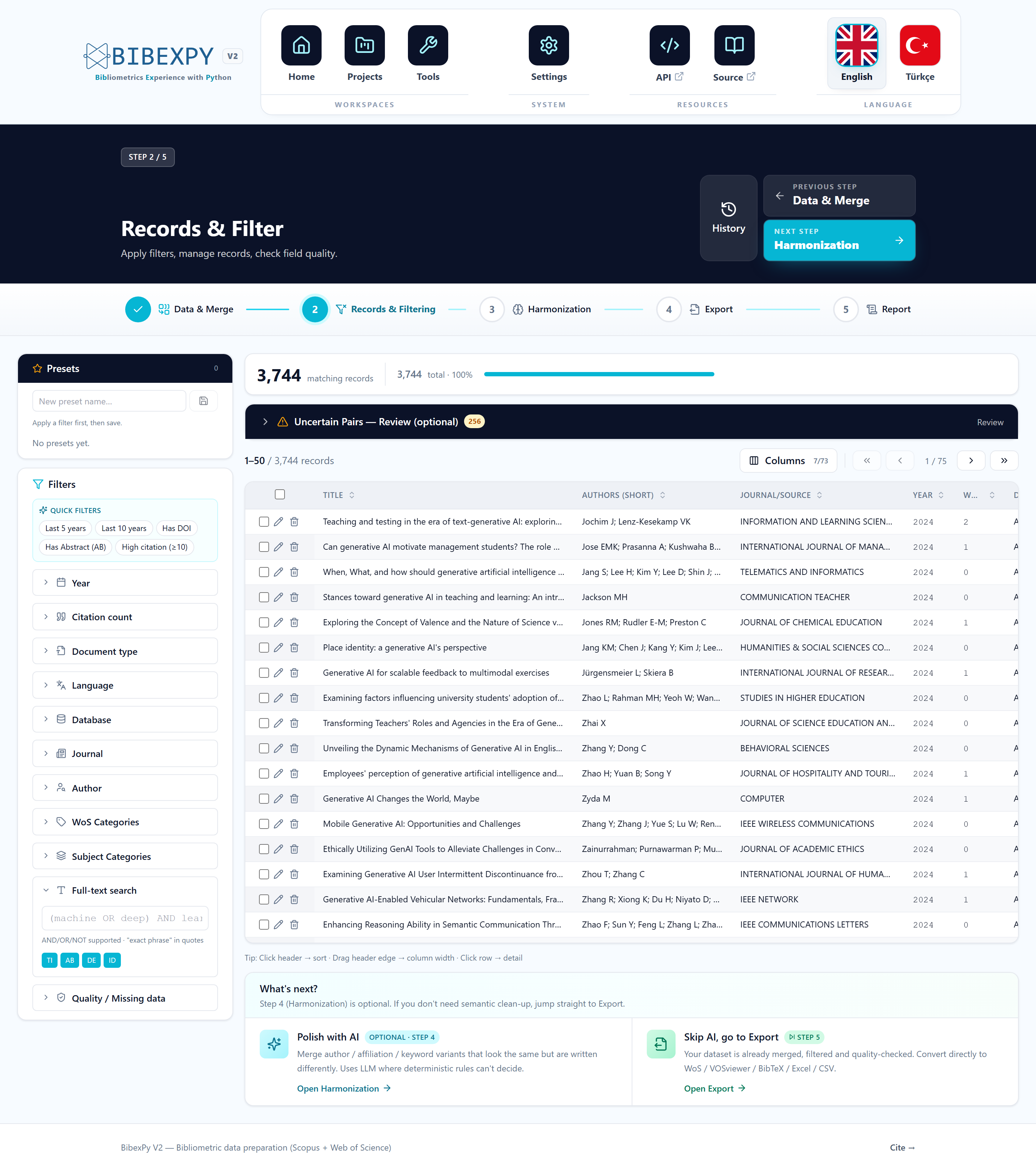
Filter dimensions
Refine along several dimensions simultaneously:
- Publication year and citation count ranges
- Document type, language, source database
- Journal, author, WoS/Scopus subject categories
- Full-text query over titles, abstracts and author/indexed keywords (TI, AB, DE, ID)
- Quality filters — keep or exclude records by the presence/absence of specific fields (e.g. "must have DOI", "must have abstract")
Each criterion can be cleared individually, and the number of matching records updates in real time as you adjust them.
Presets: reproducible corpora
The complete filter specification can be saved as a named preset, re-applied to other analyses and exported. Your inclusion/exclusion decisions become explicit and reconstructable — exactly what a methods section needs.
Report it
Applied filters are recorded in the audit log, so the final methodology narrative lists your corpus criteria automatically.
Reviewing uncertain pairs
Low-confidence links surfaced by Smart Merge remain reviewable in the same view through the collapsible Uncertain Pairs panel — confirm or reject borderline duplicates without leaving the table. The panel stays closed by default so the record table keeps focus.
Record details
Click any row to open the full record drawer: every field (AU, TI, SO, DE, ID, C1, CR, …) with its provenance, plus a direct DOI link. Fields modified by later harmonization steps are marked with their source.